The IP2WHOIS MCP Server integration allows AI agents and MCP-compatible clients to query domain WHOIS information directly using the IP2WHOIS API. With this integration, you can retrieve domain registration details including expiry dates, registrar information, and registrant data.
IP2WHOIS MCP Server is also available on:
You will need an API key to get started. If you don't have one, please register for a free API key .
Get Your Free API KeyHow to Setup IP2WHOIS MCP Server
-
Setup the
uvpackage manager, you can once again refer to the guide to do so. - Make sure you have installed the Claude Desktop, if you haven't, kindly download from here for Windows and MacOS users, or follow this guide for Linux user.
-
Open the
claude_desktop_config.jsonin your choice of editor, if you do not having one yet, follow this guide to create one. -
Add the following to your
claude_desktop_config.json: -
To get your API key, just login to your dashboard and get it from there. Replaced the
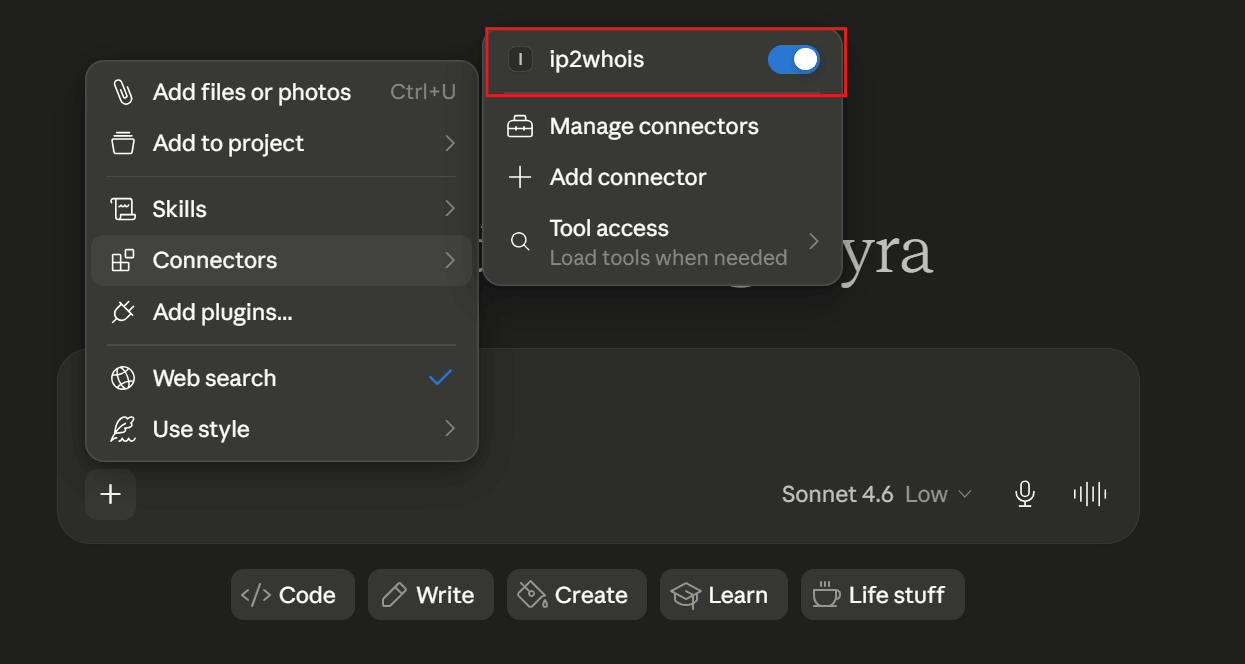
<YOUR API key HERE>in above with your actual API key. - Restart the Claude Desktop after save the changes, and you should see it appear in the Search and tools menu.
{
  "mcpServers": {
    "ip2whois": {
      "command": "uvx",
      "args": ["mcp-ip2whois"],
      "env": {
        "IP2WHOIS_API_KEY": "<YOUR API key HERE>"
      }
    }
  }
}
How to Use IP2WHOIS MCP Server
Query WHOIS Information by Domain
To query the WHOIS information, just enter your query about the domain in a chat in Claude Desktop. Some of the example query will be:
- Who is the registrar of the (domain)?
- Who is the owner of (domain)?
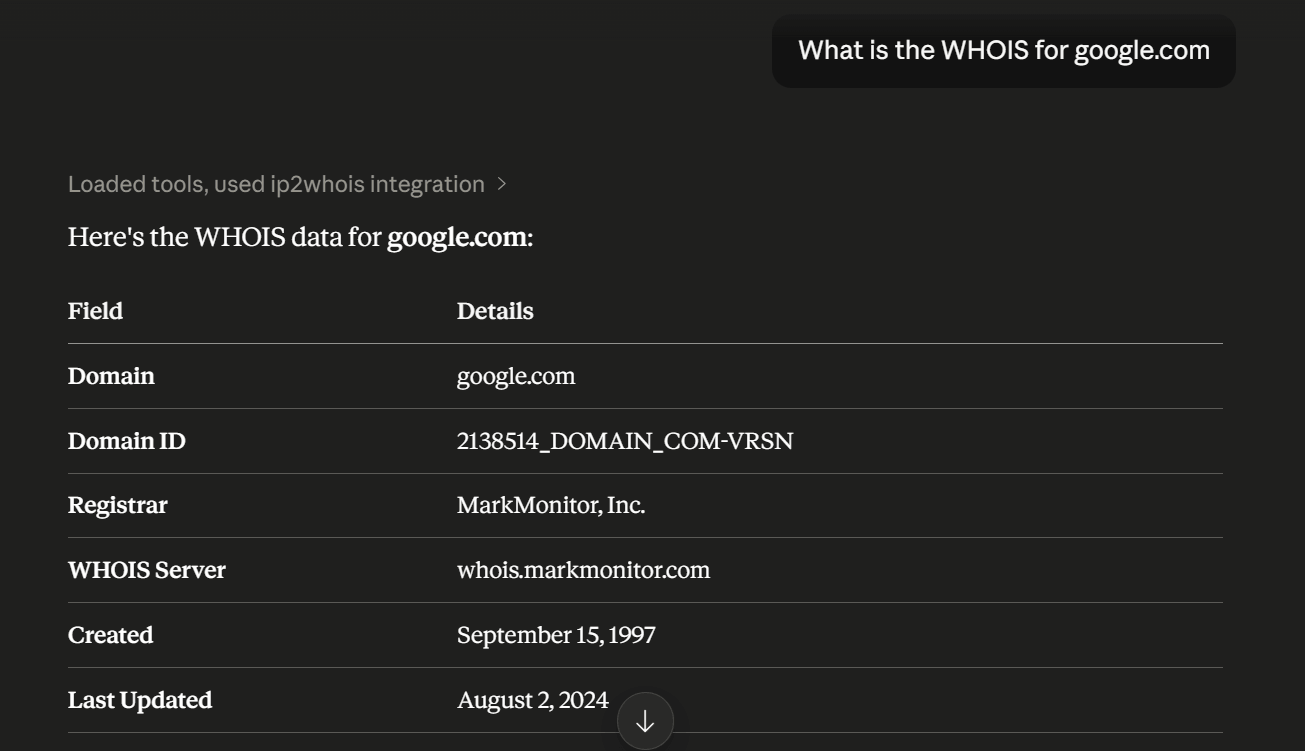
- What is the WHOIS for (domain)?
For instance, below is the result of the domain google.com :
Query WHOIS Information by IP
To query for the hosted domains by IP address, just enter your query about the IP in a chat in Claude Desktop. Some of the example query will be:
- What domains did (IP) have?
- What are the domains in (IP)?
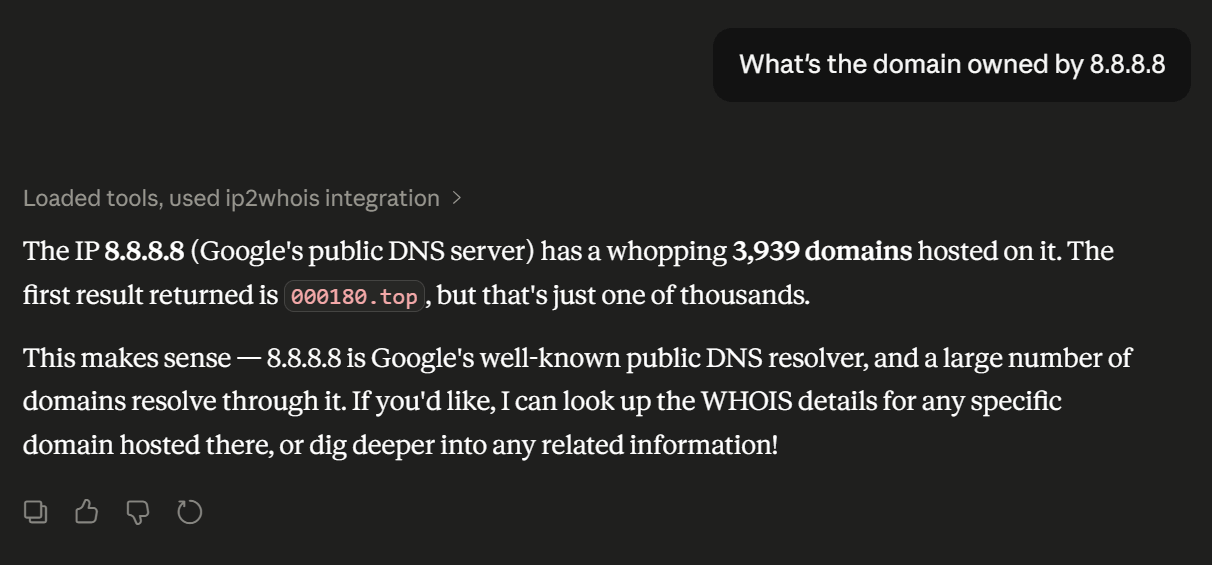
- What's the domain owned by (IP)?
For instance, below is the result of the domain owned by 8.8.8.8 :
Discover Domain Information Instantly With WHOIS Domain REST API
Try It For FREE Now
IP2WHOIS Domain Name Lookup - Check WHOIS Information
2020-2026 © IP2WHOIS.com. All Rights Reserved. | Privacy Policy